2. Quick Start
Quick start requires completing one core setup step: Import Character Cards
2.1 Import Character Cards
Character cards are the core of MiniTavern. Each character has a unique personality, backstory, and conversation style.
After installing and opening the app, you can see the built-in sample character cards on the homepage. Click any character card to start a conversation.
In addition, MiniTavern also supports importing other formats of character cards. Currently, three import methods are supported: local file import, download link import, and QR-code import.
Step 1: Tap the Import (down-arrow) button in the upper-right corner of the home screen
Go to Homepage
- Click the "Import" (down-arrow) button in the upper right corner of the homepage
Step 2: Choose Import Method
Method 1: Local File Import (Recommended)
1: Select Import File Tab
- Click the "Import File" area
2: Supported File Formats
- PNG - Character card image format (PNG only)
- JSON - Plain text character data
Method 2: Link Import
1: Select Link Import
2: Enter Character Card Link
- Paste the character card URL in the input box
- Make sure the link triggers image download, not redirects to character card details page
3: Get Character
- Click the "Import Character Card" button
- Wait for download and parsing to complete
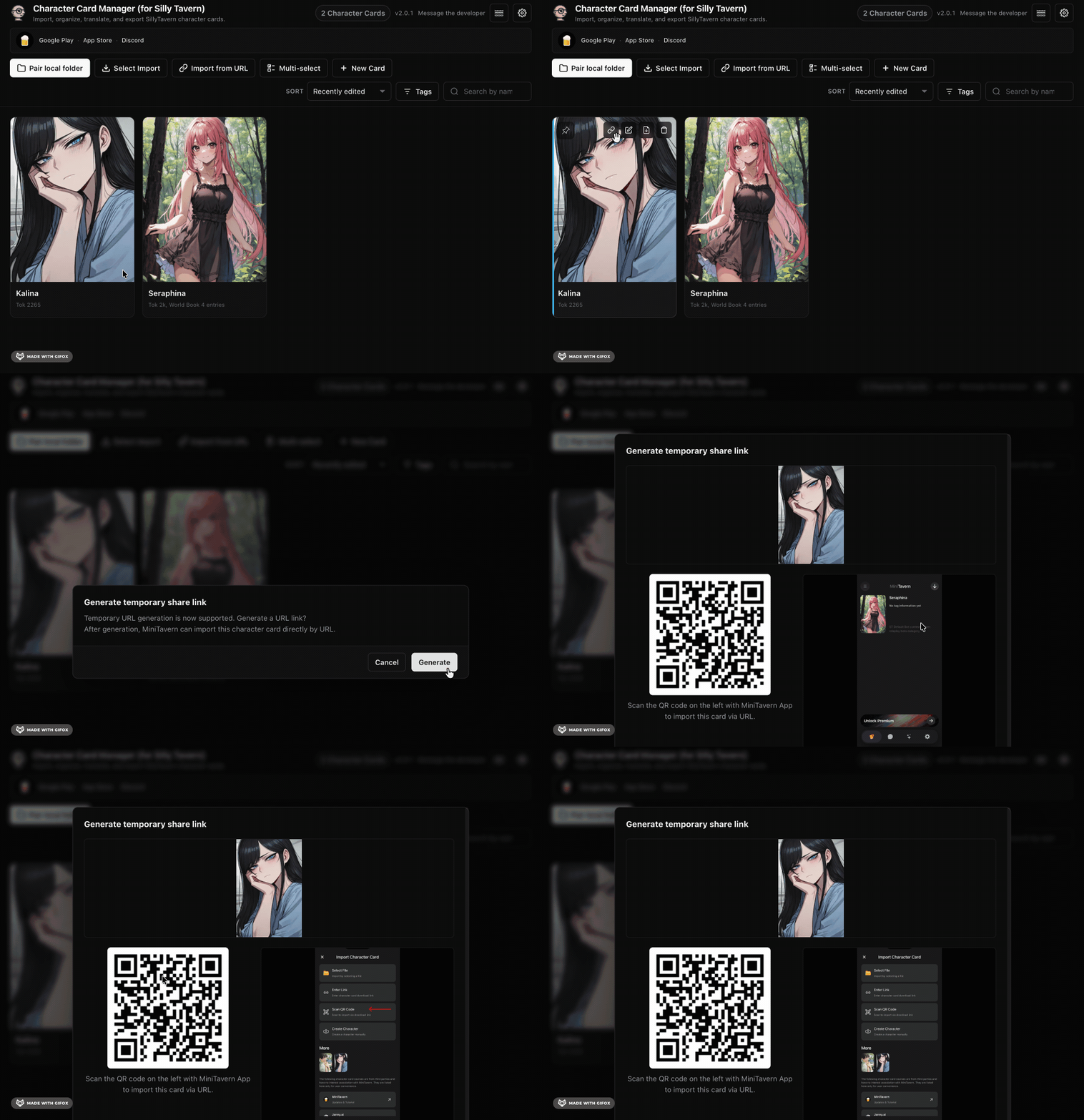
Method 3: Import by scanning a QR code
The MiniTavern browser extension (overview and download: https://mini-tavern.com/manager.html) can generate a link and a QR code. Tap the Link button on a card to create a local QR code. Scan it to read the character-card URL and import.
Step 3: Preview and Import
View Preview
- After successful file parsing, the character card preview will open automatically
- Shows character avatar, name, creator, and description
Complete Import
- Click "Start Chat" to enter conversation directly
- Or click "View Details" to view/edit character information