4.4 Export and Import Chat History
Starting with MiniTavern v1.5.3, you can merge chat history into a character card, export it, and import it again later.
Note that this feature is currently supported only in the MiniTavern App. It is not interoperable with SillyTavern or other chat platforms, and it is not a shared standard.
Export steps
Step 1: Open the character card chat
Step 2: Tap the share button
At the bottom of the last AI message, tap the share button on the far right
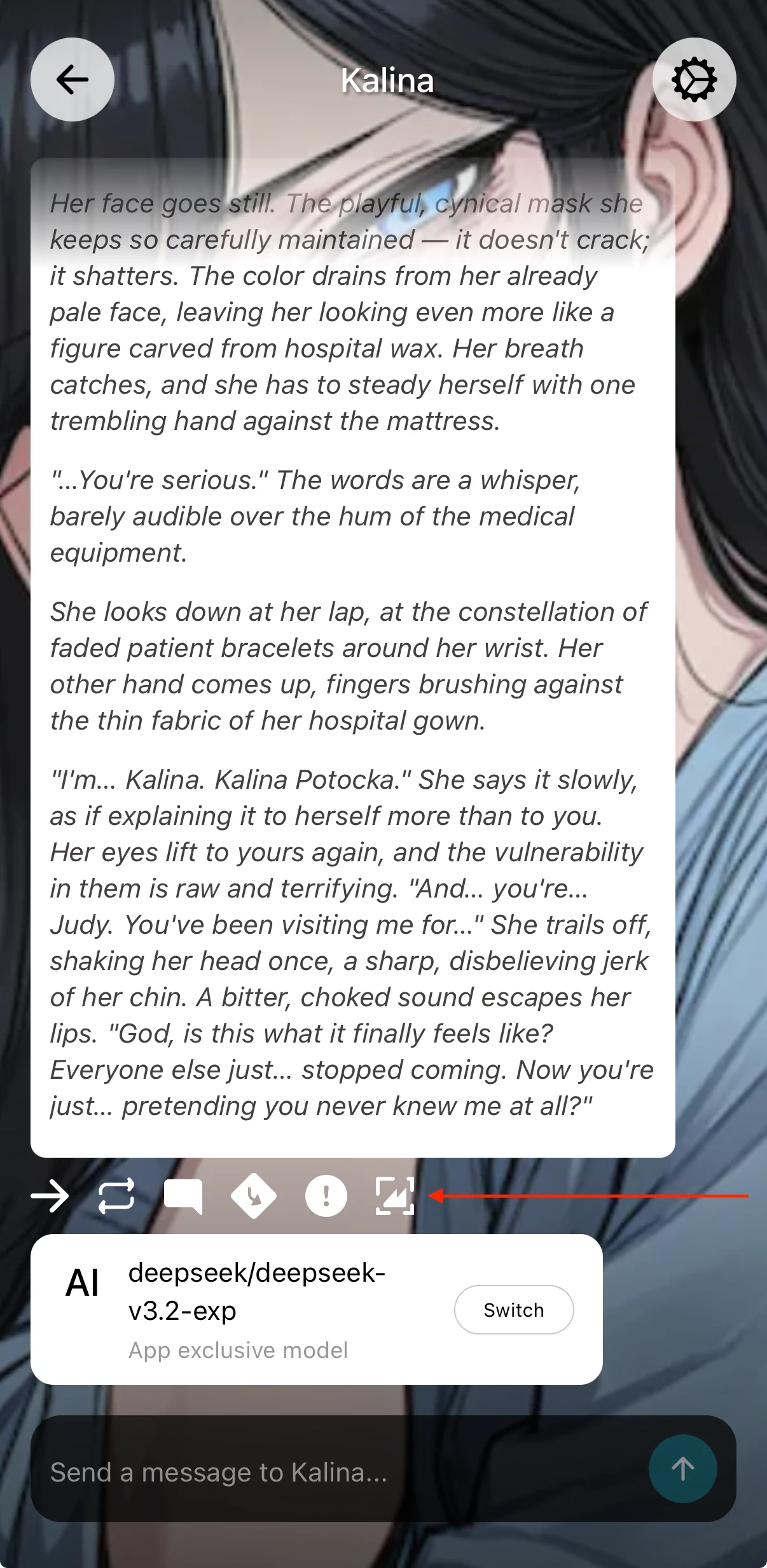
Step 3: Choose export character card and chat history
Choose Export character card and chat (up to the most recent 20 messages)
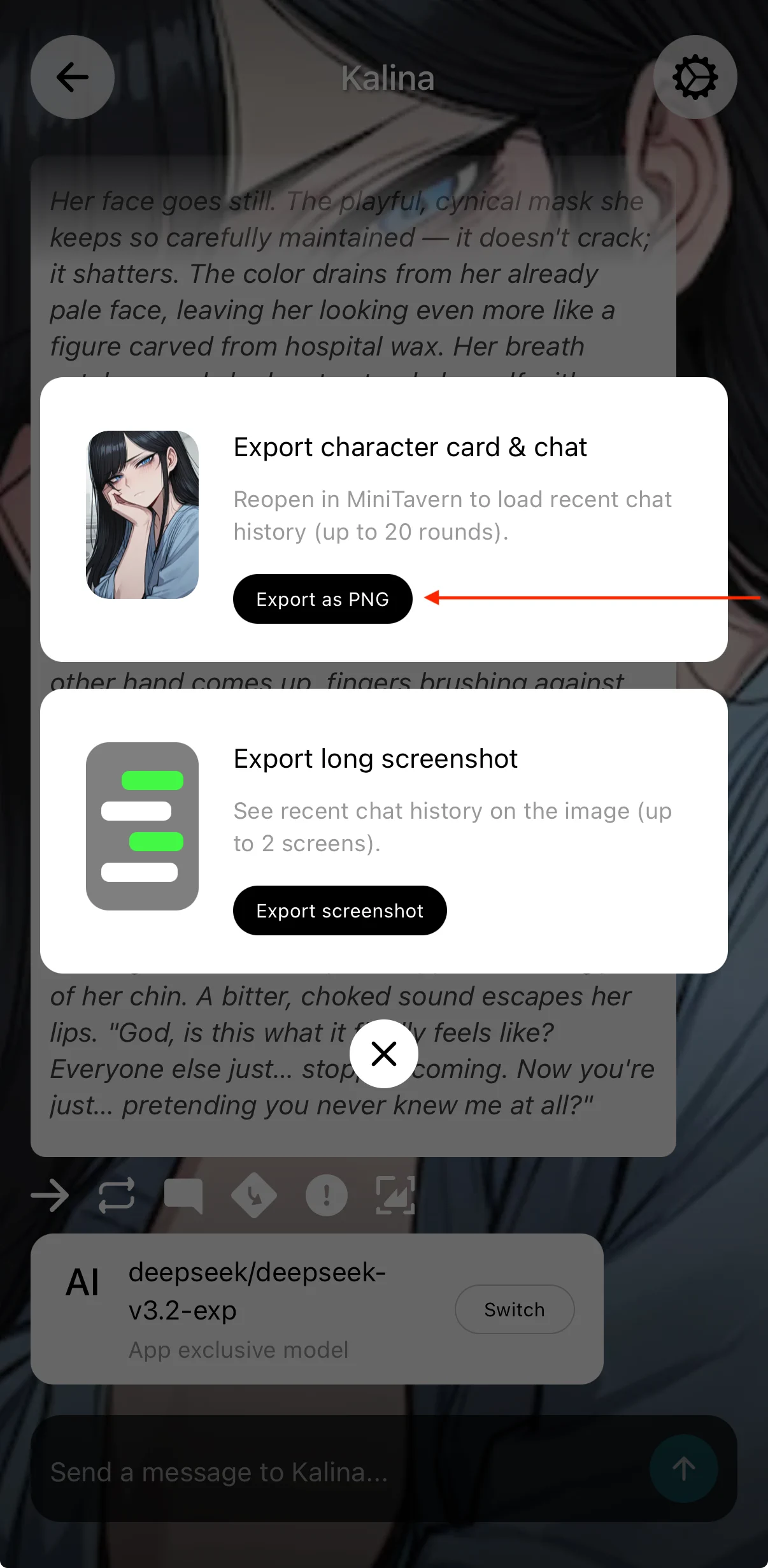
Step 4: Save to a local folder
Import steps
Use MiniTavern’s standard import flow to bring in the character card and chat history you just exported. See 2.1 Import Character Cards.
Notes
- Use this feature on MiniTavern v1.5.4 or later. It is stable from that version onward.
- After export, sending the image through other chat apps as a regular picture can strip metadata and lose the chat history. Compression often discards that metadata. Transfer the file in a way that keeps the image metadata intact.