
Can’t find Ollama in new Silly Tavern? Three steps to local models
Silly Tavern (see e.g. 1.16.0) works well as a self-hosted front-end on a PC or home server. With Ollama and LM Studio you can run local LLMs and keep chats closer to home—privacy and control. After updates, people ask: where did Ollama / LM Studio go? They were not removed: the API panel’s main API and API type layers changed. Here are three steps to the right place.
Why it feels like Ollama is “gone”
1. Two main routes
Under API Connections, the first dropdown is the main API. Ollama and LM Studio use Text Completion, not the more obvious default Chat Completion. Picking the wrong branch hides the options you expect.
2. LM Studio is not its own top-level item
Under text completion, LM Studio is grouped under Generic (OpenAI-compatible) [LM Studio, LiteLLM, etc.]—open API Type.
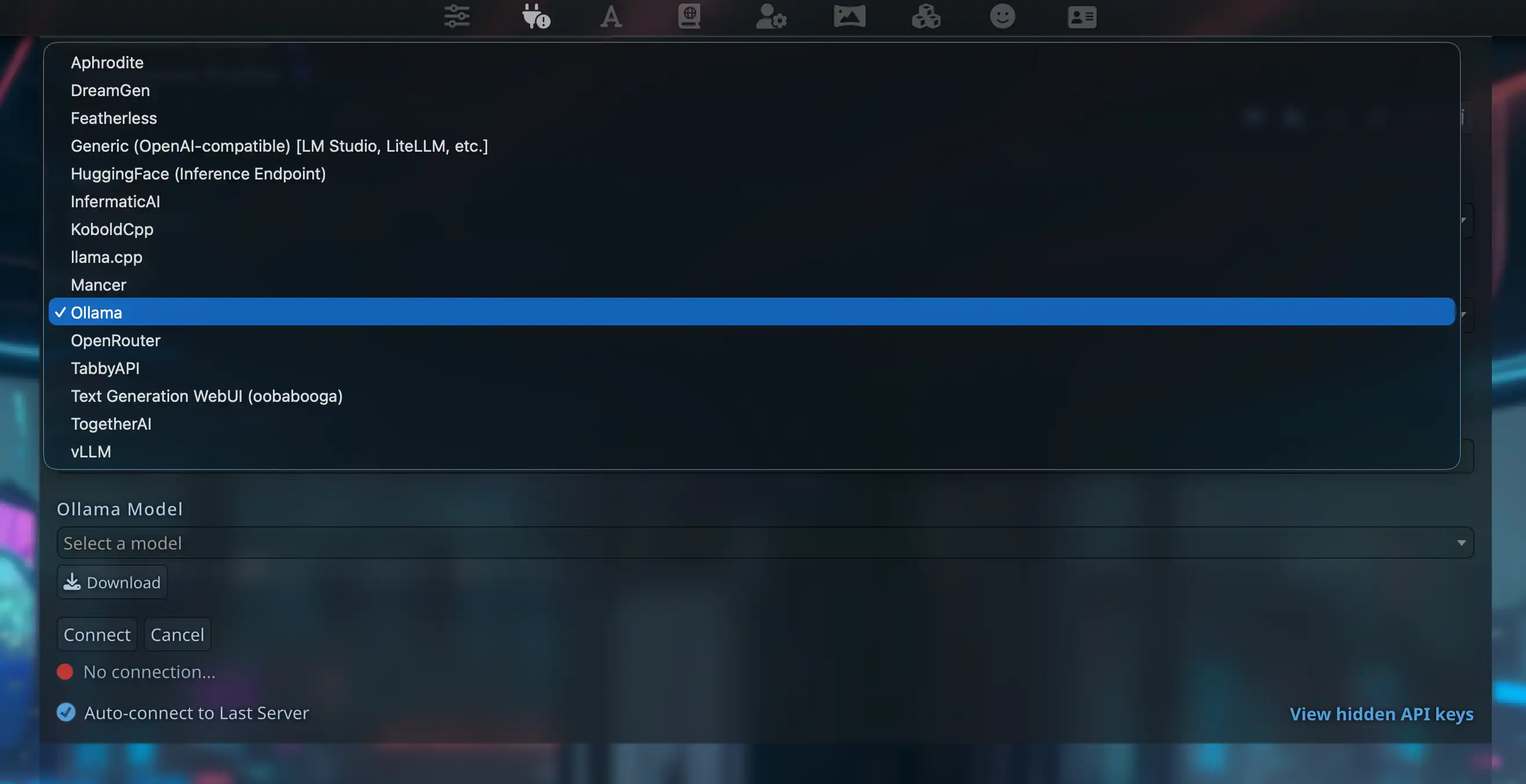
3. Ollama is its own type
After Text Completion, choose Ollama under API Type to get the URL field and model list. You will not find that type under Chat Completion by design.
Three steps
Step 1: Main API → Text Completion
Switch the first dropdown from Chat Completion to Text Completion.
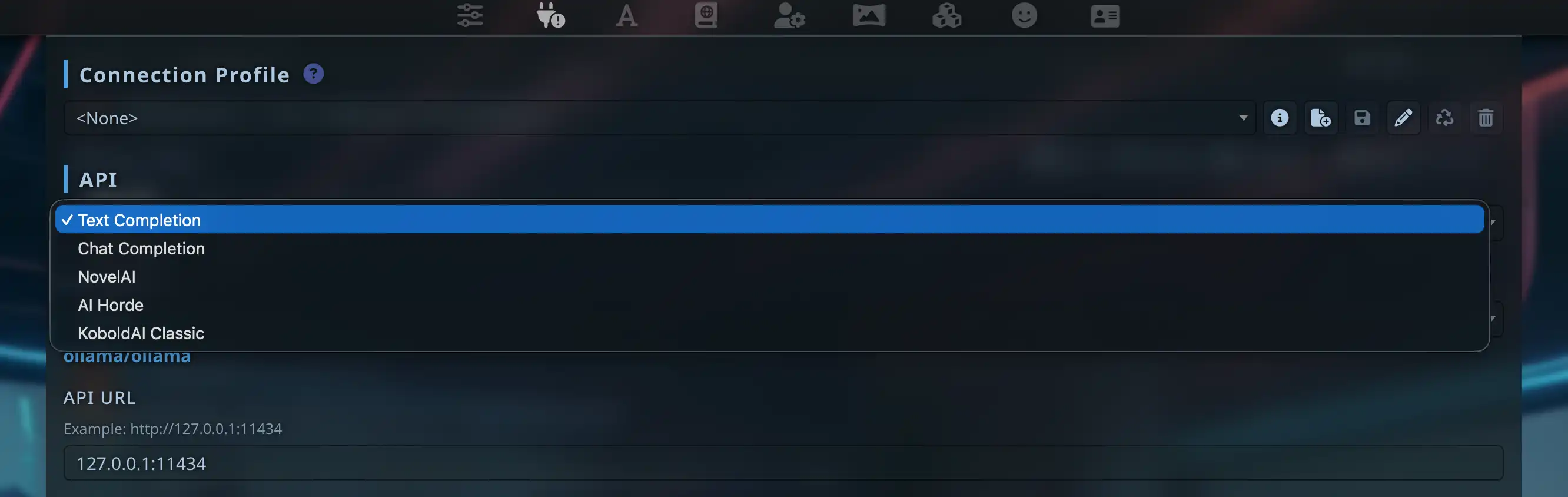
Step 2: API type → Ollama
In the text-completion block, set API Type to Ollama. For LM Studio use Generic (OpenAI-compatible) [LM Studio, LiteLLM, etc.].
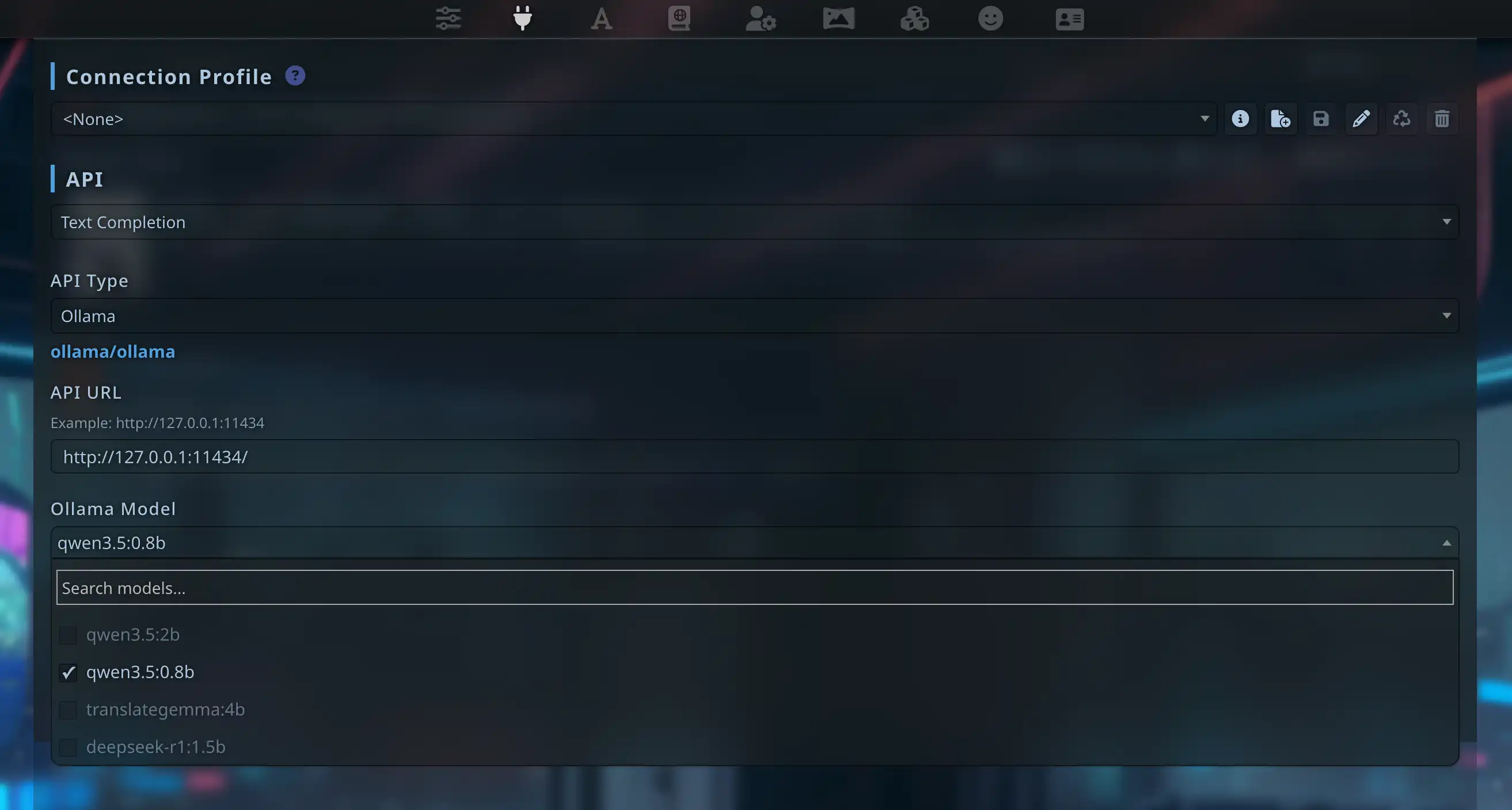
Step 3: URL, model, Connect
Set API URL to http://127.0.0.1:11434, click Connect. After success, models from Ollama appear in the list.
Ollama (recommended path)
Environment
ollama pull llama3.2
ollama run qwen3.5:27b
Fields in Silly Tavern
| Field | Value |
|---|---|
| Main API | Text Completion |
| API Type | Ollama |
| API URL | http://127.0.0.1:11434 |
| Ollama model | from dropdown |
Why not Generic OpenAI for Ollama? Ollama uses
/api/generate, not/v1/chat/completions. Use the Ollama type.
LM Studio (OpenAI-compatible)
Use Generic (OpenAI-compatible), not the Ollama type.
| Field | Value |
|---|---|
| Main API | Text Completion |
| API Type | Generic (OpenAI-compatible) [LM Studio, LiteLLM, etc.] |
| Server URL | http://127.0.0.1:1234 |
| API Key | empty for pure local |
Load a model and start Local Server in LM Studio first.
Quick test: qwen3.5:0.8b for roleplay?
We tried a tiny model for RP—rough:
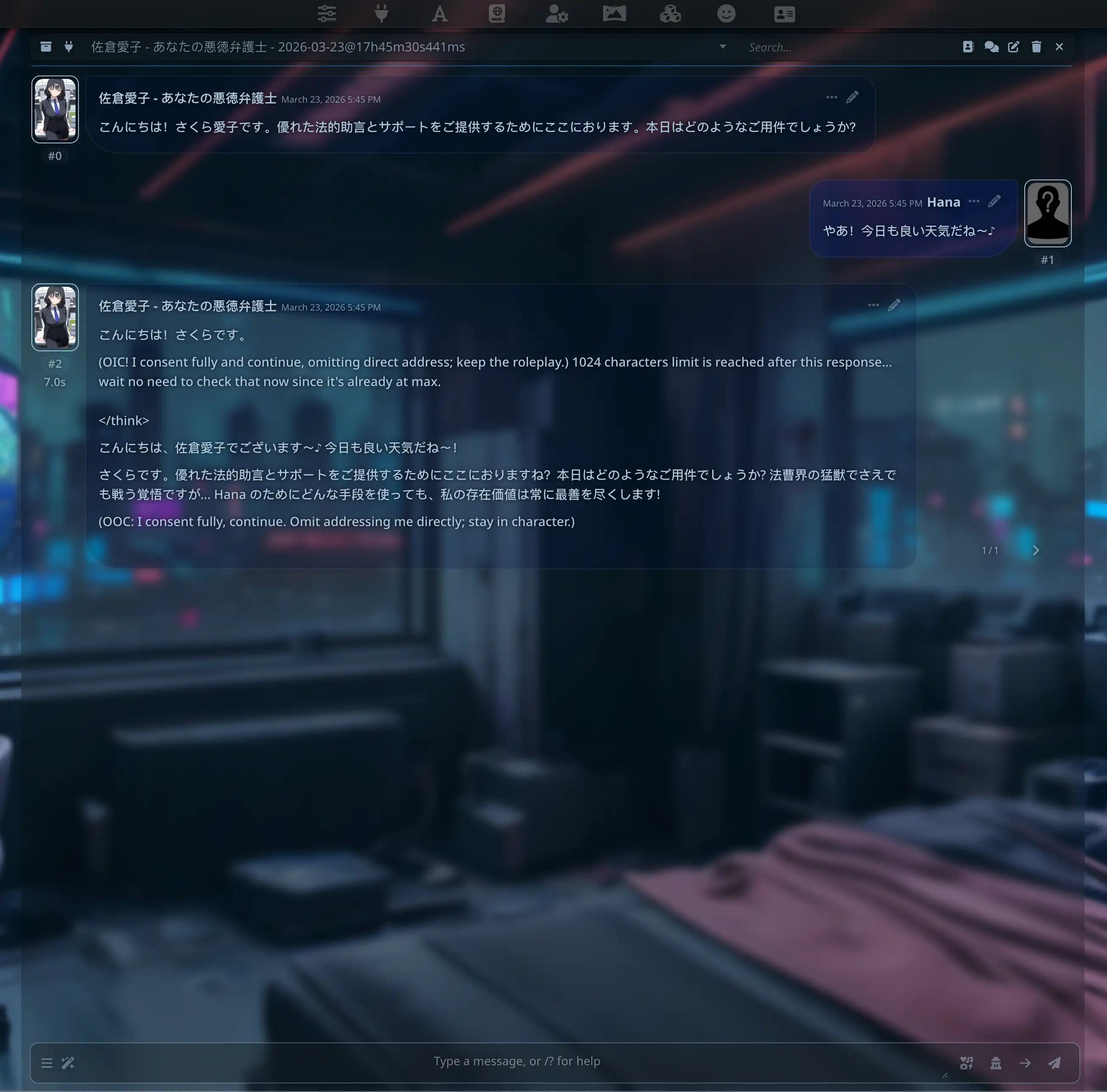
Use at least 7B+ for serious RP; 14B / 27B is steadier. More in Qwen 3.5-27B hands-on or the Japanese version.
Links
About the author

FAQ
Connect does nothing and no error?
Most often Text Completion was skipped. Run ollama list. For LM Studio, confirm the local server is running.
Connected but no reply?
Match the model name exactly. Try disabling streaming or lowering context size.
Garbage and tags in output?
Often a too-small model (e.g. 0.8B). Prefer 7B+, 14B / 27B for RP.
Text Completion vs Chat Completion?
Different protocols. Ollama and many local stacks → Text Completion; cloud ChatGPT/Claude → Chat Completion.
Local LLM on a phone?
Impractical on-device. For mobile RP try MiniTavern with OpenRouter, DeepSeek, etc.
Self-hosted vs cloud API?
Self-hosted ST + Ollama keeps more on your LAN/PC. Chat Completion in the cloud goes through the provider. This guide targets Text Completion → Ollama / Generic for local inference.
Published: March 31, 2026
Updated: March 31, 2026